VOICE AI KEEPS CRASHING ON MY PC

I have been trying to use the app, but it keeps crashing every 1 minute after launching it, tried troubleshhoting by uninstalling and reinstalling, deleting file and downloading new one, clearing my system cache, restarting my system among many other things, yet it keeps crashing
-

Same here im getting the same issue
0 -

To help us resolve this issue, please email us at support@voice.ai and describe the exact steps you take before the app crashes. The more detailed you are, the better we can assist you.
0 -

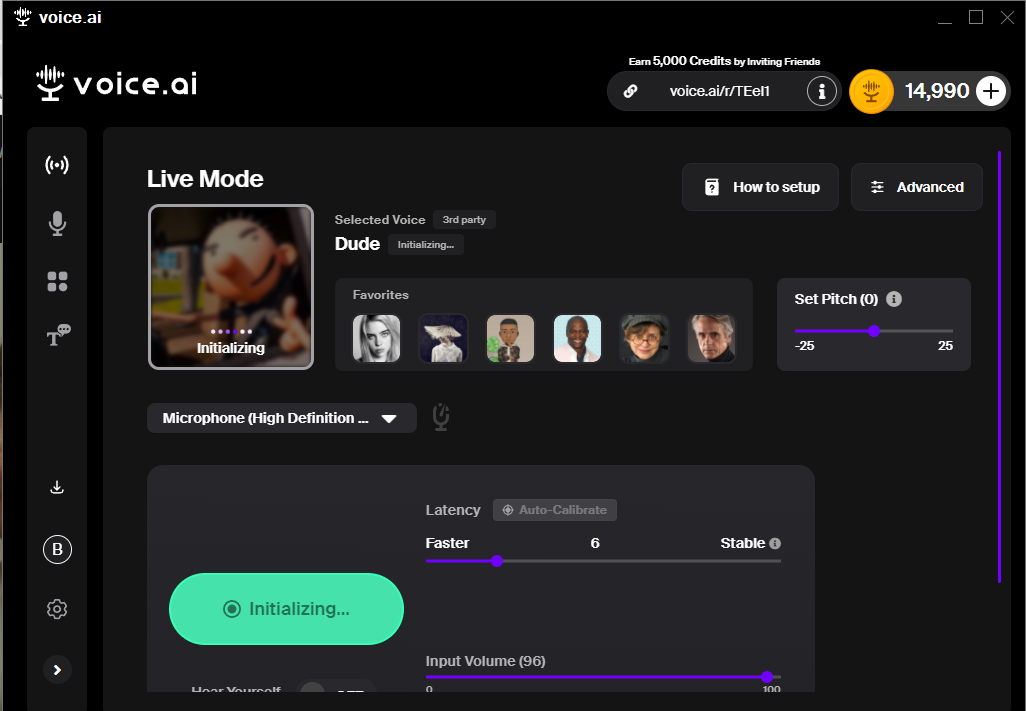 I have recently used a voice called 'Dude' from a 3rd party, and now it crashes every time it starts to initialize the voice. There is no way to change what voice gets initialized (which would fix it.) and there is no option to stop initializing a voice at startup (which would fix it.).
 - It's only crashing because the 3rd party voice is not compatible and there is no way for us(users) to stop it.
0 -
Please try the following:
- Navigate to this folder on your computer:
- C:\Users\*your_user*\AppData\Local\Voice.ai\Models
- You can choose to delete all the files inside the "Models" folder, or select and delete only the specific voice model files you no longer wish to keep.
- Restart your PC for the changes to take effect.
0 -
It worked!!!! Thank you. I'm sure others will benefit from this as well. Thank You! Unfortunately, I now have to go back to work : )
0
Please sign in to leave a comment.
Comments
5 comments